Solutions
SIP trunking for call centers.
Trunks for your dialer or AI agent, termination and phone numbers in every country, from one carrier. We set limits per trunk to match the way you dial.
SIP trunks
SIP trunks for dialers
A predictive dialer opens many calls at once and drops most of them within seconds. The trunk has to take that burst without rejecting calls or adding delay. We set calls per second and channels for each trunk and raise them as your campaigns grow.
- calls per second per trunk
- up to50
- Test accounts start at 10.
- concurrent channels
- up to2,000
- Test accounts start at 200.
On every trunk
- Codecs
- G.729, G.711, G.722, Opus
- Transport
- UDP, TCP, TLS + SRTP
- Authentication
- IP address or password
- Redundancy
- Paired ingress and media nodes
How many channels you need
For predictive dialing: agents × dial ratio × 1.2. Twenty-five agents at 3:1 need about 90 channels.
A trunk for each dialer
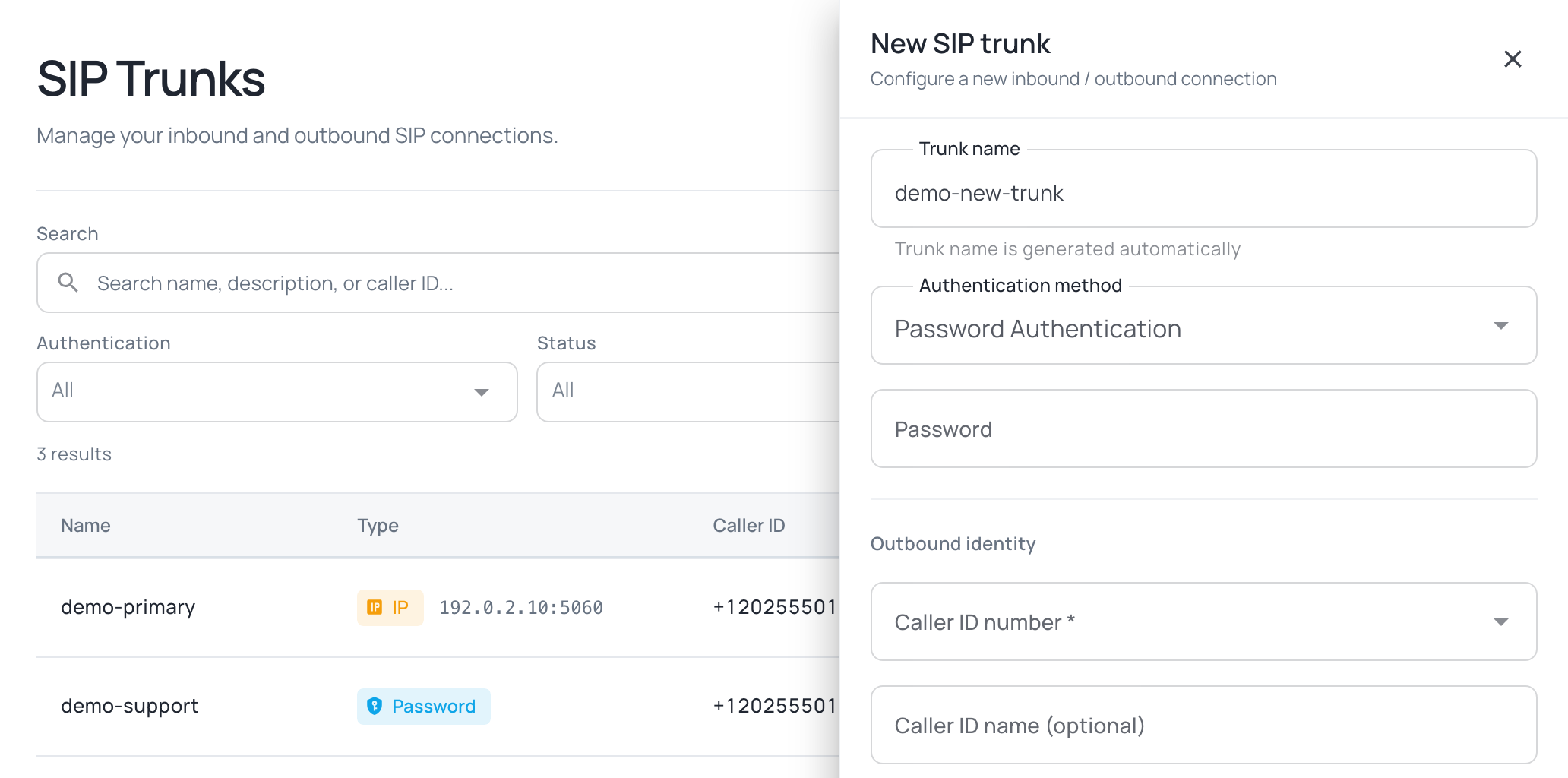
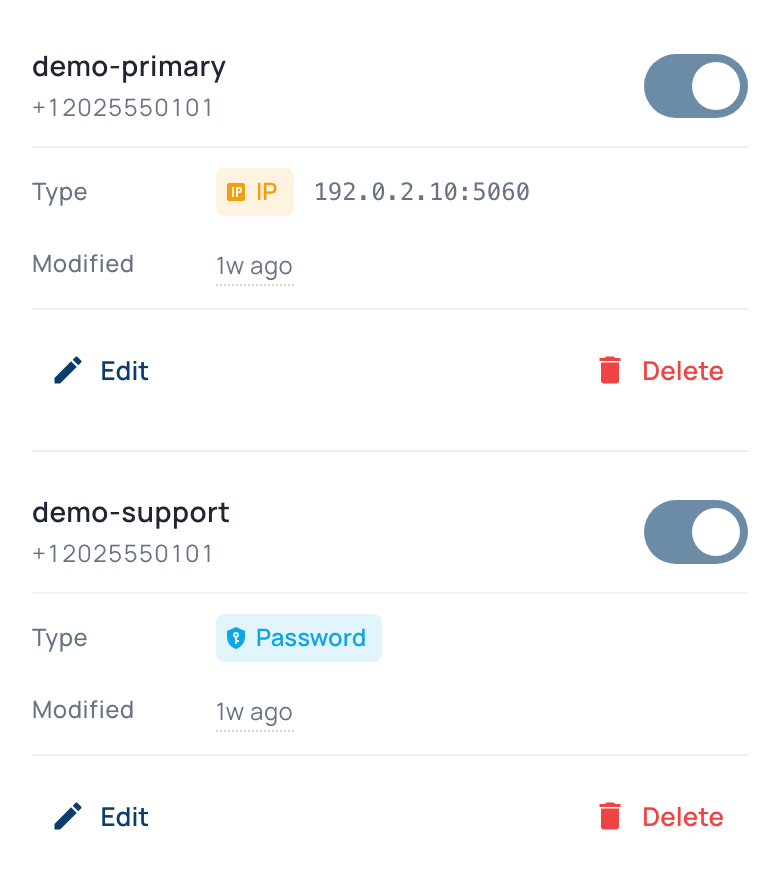
Create a trunk with IP or password authentication, choose the caller ID it sends, switch it on or off.
Termination
International termination
Every country has several routes: direct interconnects with local operators and licensed local partners. The rate sheet shows which one carries your calls.
Direct
Our own interconnect with the operator in the country.
- Caller ID
- Conditions on the rate sheet
Licensed partner
A licensed carrier in the country hands the call to the operator. The rate sheet names the partner.
- Caller ID
- Conditions on the rate sheet
Automatic failover
AI monitoring watches every route and moves your calls to another one when quality drops. Most failures you will not even notice.
- Switching
- Automatic
Billing
Most routes bill per second. Where a carrier bills in 60-second steps, the rate sheet says so before you send traffic.
- Payment
- Prepaid by default
- Postpaid
- After three months
Numbers
Phone numbers
Numbers in every country for inbound lines and local caller ID. Operators ask for different documents in each country; we collect them from you once and file them.
Number types
- Local
Callbacks and inbound support lines with a local presence.
- Mobile
For markets where customers answer mobile numbers more readily.
- Toll-free
Inbound lines the caller does not pay for.
- SMS
Two-way or inbound messages, where the operator allows it.
- Activation
- From the same day
- Documents
- Collected once, filed by us
Numbers and where they ring
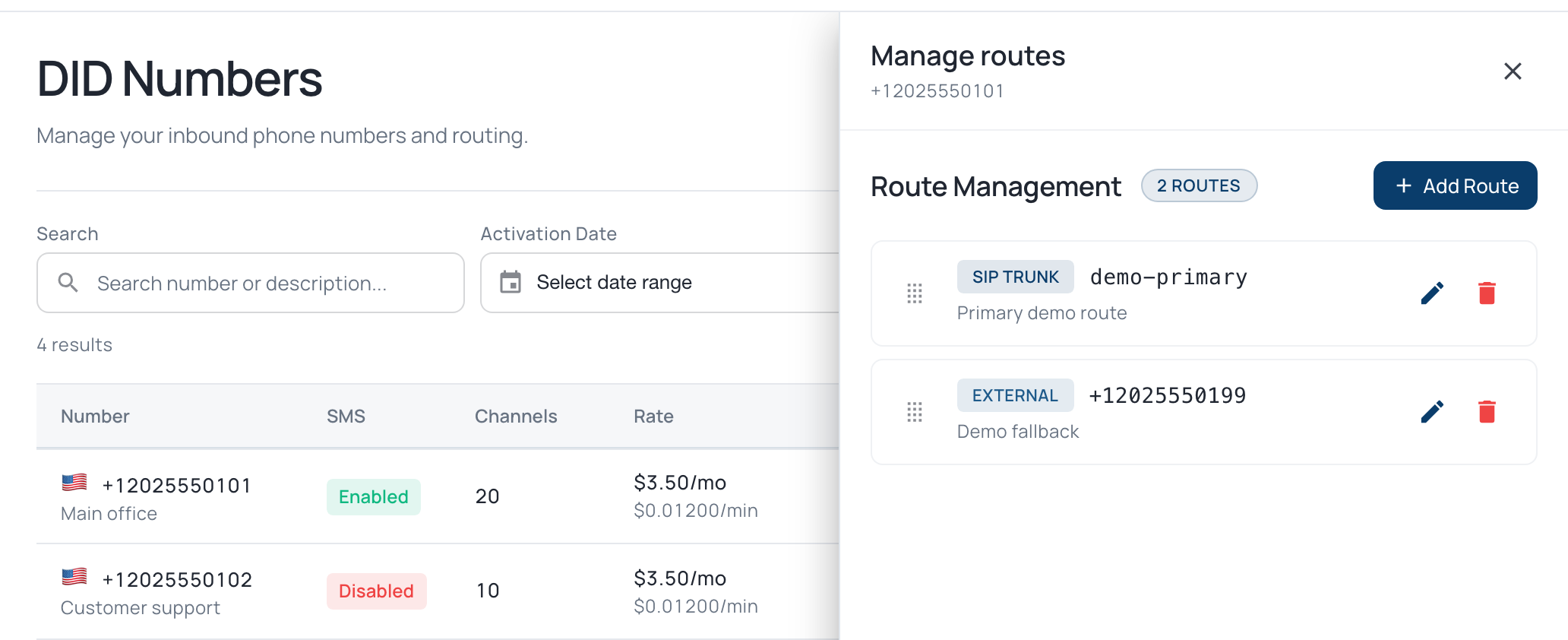
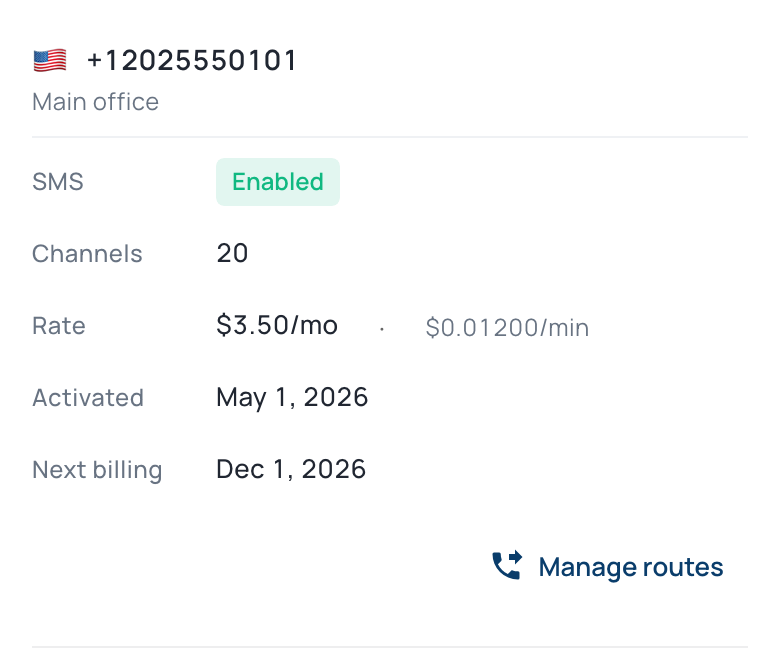
Each number shows its SMS status, channels, monthly rate and next billing date. Manage routes sends the number to a SIP trunk or to an external number.
Dialers
Connect your dialer
Standard SIP. Copy the settings for your platform, point it at our two gateways and place a test call.
Admin → Carriers → Account entry
[voxiis-nl1]
type=friend
host=nl1.voxiis.net
context=trunkinbound
disallow=all
allow=g729
allow=ulaw
dtmfmode=rfc2833
insecure=port,invite
qualify=yes

[voxiis-nl2]
type=friend
host=nl2.voxiis.net
context=trunkinbound
disallow=all
allow=g729
allow=ulaw
dtmfmode=rfc2833
insecure=port,invite
qualify=yes
/etc/asterisk/pjsip.conf
[voxiis]
type=endpoint
context=from-voxiis
disallow=all
allow=g729,ulaw,alaw
aors=voxiis
direct_media=no

[voxiis]
type=aor
contact=sip:nl1.voxiis.net:5060
contact=sip:nl2.voxiis.net:5060
qualify_frequency=30

[voxiis]
type=identify
endpoint=voxiis
match=nl1.voxiis.net
match=nl2.voxiis.net
sip_profiles/external/voxiis.xml
<include>
  <gateway name="voxiis-nl1">
    <param name="proxy" value="nl1.voxiis.net"/>
    <param name="register" value="false"/>
    <param name="caller-id-in-from" value="true"/>
    <param name="ping" value="30"/>
  </gateway>
  <gateway name="voxiis-nl2">
    <param name="proxy" value="nl2.voxiis.net"/>
    <param name="register" value="false"/>
    <param name="caller-id-in-from" value="true"/>
    <param name="ping" value="30"/>
  </gateway>
</include>
SIP Trunks → Add → Generic SIP trunk
registrar: nl1.voxiis.net
port: 5060
authentication: IP based
codecs: [G729, PCMU]
caller_id: E.164, as provisioned
simultaneous_calls: 200
backup: nl2.voxiis.net, second trunkWorks with
- VICIdial
- GoAutoDial
- Asterisk
- FreeSWITCH
- FreePBX
- 3CX
- Issabel
- FusionPBX
- Genesys Cloud
- Amazon Connect
- Five9
And any other platform that speaks standard SIP.
AI voice agents
The same trunk works for AI agents
An AI agent is one more SIP endpoint. Point your agent platform at our gateways and it gets the same routes, numbers and caller ID as a dialer.
Standard SIP, both ways
Outbound campaigns and inbound lines over TLS and SRTP.
HD voice: G.722 and Opus
Wideband audio between your agent platform and our gateways, so speech recognition gets a cleaner signal than over compressed G.729. G.711 works everywhere.
A number in every country
Numbers for the agent to answer on and to show as caller ID, including hard-to-reach countries such as Saudi Arabia, Pakistan and Nigeria.
Calls per second for campaigns
Up to 50 calls per second per trunk. Several routes to every country keep the agent talking when one degrades.
Agent platforms that take a SIP trunk
- LiveKit
- Vapi
- Retell AI
- ElevenLabs
and any other platform that accepts a SIP trunk.
Questions
Questions about trunks and billing
Do you accept outbound dialer traffic?
Yes, after KYC and a traffic review: your use case, how you collect consent and which caller IDs you will show. We do not carry unsolicited robocalls or calls with invalid caller ID.
Can we connect an AI voice agent?
Yes. An agent platform that accepts a SIP trunk connects the same way as a dialer: standard SIP with TLS and SRTP, and G.722 or Opus for wideband audio. It gets the same routes, numbers and caller ID.
How many CPS and channels can we get?
Test accounts start at 10 CPS and 200 channels. After the test we set limits per trunk to match your dialer; most call centers run between 20 and 50 CPS.
How do you bill?
Prepaid by default, postpaid after three months. Most routes bill per second. Where a carrier bills 60/60, the rate sheet says so before you send traffic.
Test us as your second carrier for 7 days.
- 1
Create an account in the customer portal.
- 2
Pass KYC and get test credit, usually within one business day.
- 3
On day 7, get a report with HAR, ASR, ACD and PDD for each route.